DeepSeek Harness on Codex Pooler
DeepSeek Harness (dsh) is an open-source agent harness from DeepSeek AI, currently in developer preview. This guide connects its dsh-llm-pi-ai custom OpenAI Responses provider to Codex Pooler’s narrow OpenAI-compatible /v1 surface. The harness’s built-in DeepSeek adapter is a separate direct-provider path; it is not the Codex Pooler connection described here.
Before you start
Section titled “Before you start”- Node.js installed.
- A Codex Pooler deployment reachable from the machine running
dsh. - A Pool API key and a model available to the Pool.
Install the current npm release of dsh globally:
npm install -g @deepseek-ai/dsh@latestCheck npm for a newer release when updating this setup; DeepSeek Harness is a rapidly changing developer preview and its profile and config contracts may change between releases. The upstream project documents npx @deepseek-ai/dsh web for starting its Web UI. For this setup, use the official provider guide and CLI reference.
Use a Pool API key for requests to Codex Pooler. A direct DeepSeek API key is optional only if you also want the built-in DeepSeek provider; it does not authenticate requests to Codex Pooler and is not needed for this custom provider.
Before running the developer preview, review the upstream safety notice. It has not been security-audited and can execute model-generated commands; use it only in a disposable or trusted workspace, do not expose untrusted data, and grant the least privilege practical for the task.
Configure the connection
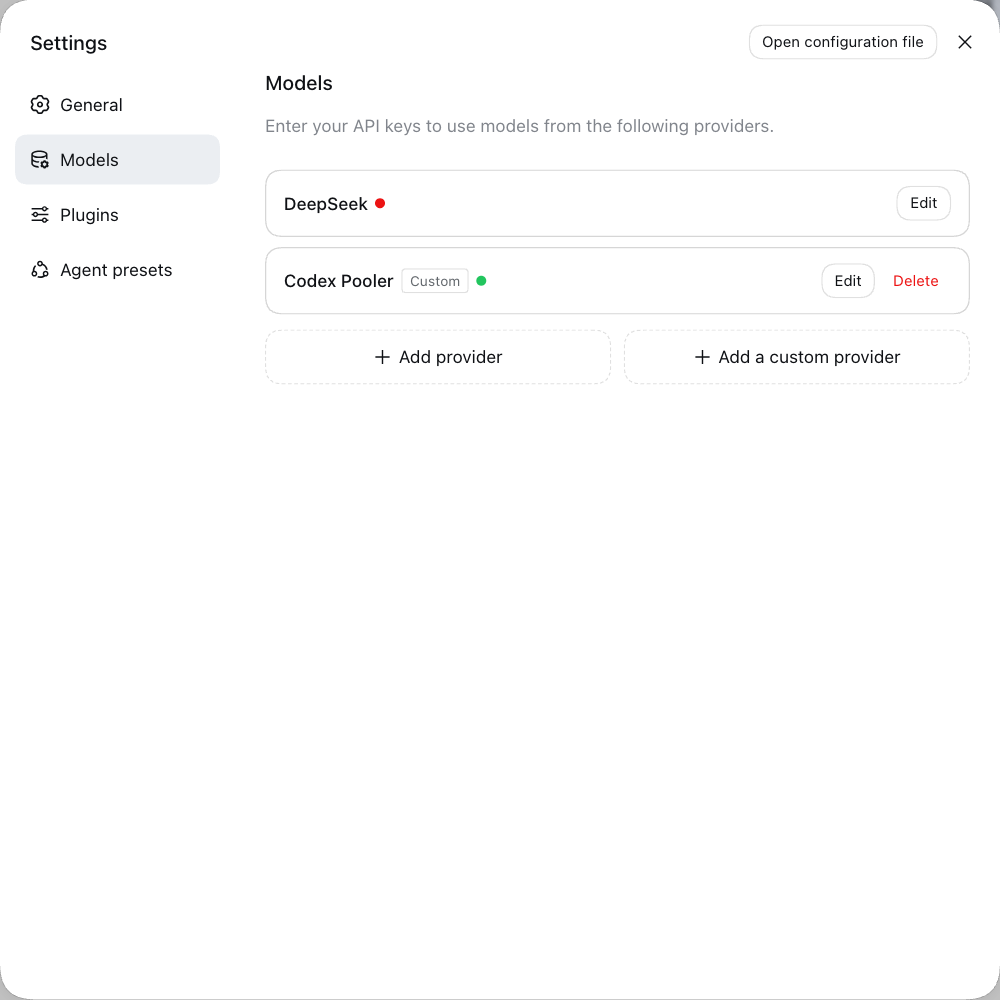
Section titled “Configure the connection”In the Web UI, open Settings → Models and choose Add a custom provider—separate from Add provider, which is for built-in catalog providers. The Models overview below shows a configured custom provider in the localhost demo.
Choose provider ID codex-pooler, optionally enter a display name, set the Base URL to https://codex-pooler.example.com/v1, select openai-responses, enter the Pool API key, and add model IDs gpt-6-luna, gpt-6-sol, and gpt-6-astra. The wizard screenshot is an unsubmitted localhost preview with a blank API-key field; it contains no credential.
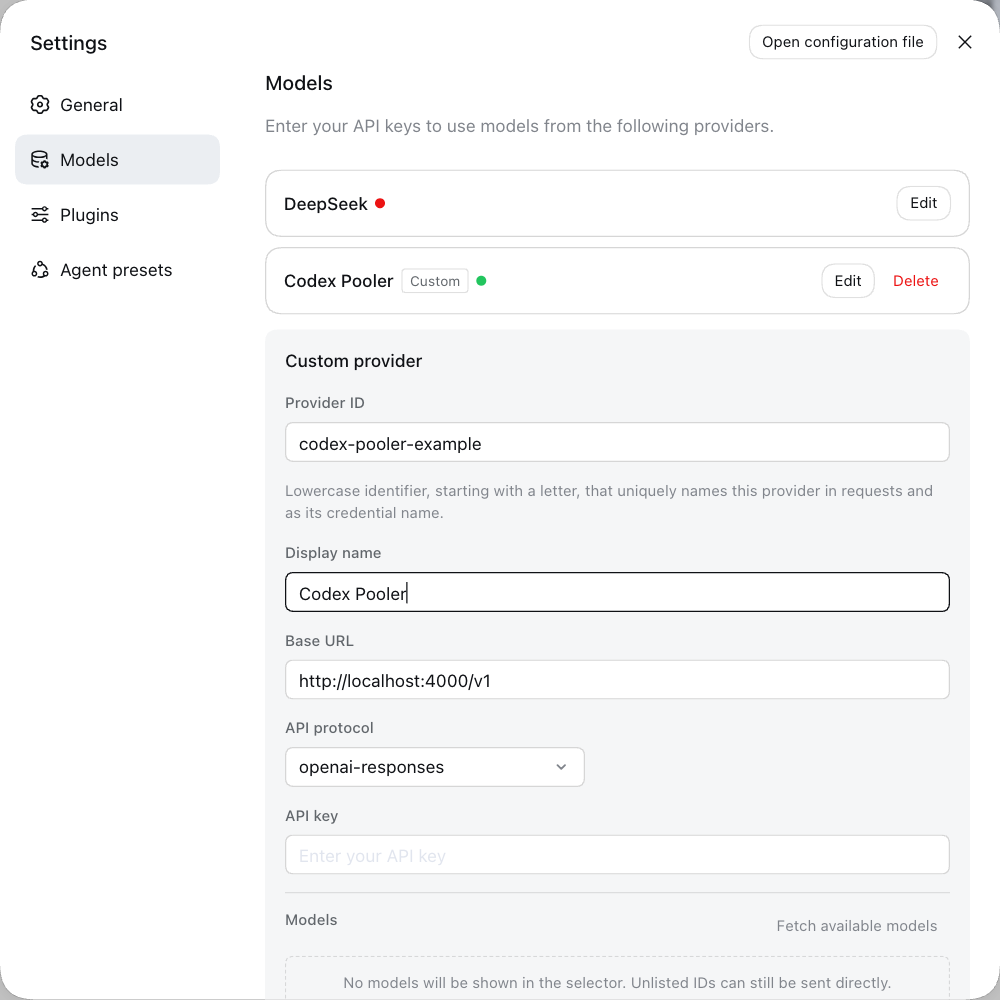
When you save, dsh stores the API key in its credentials file and settings retain only a credential reference; the UI does not show the key again.
The Web UI persists provider settings to $DSH_HOME/settings.yaml, shared by profiles; it does not write the profile cordis.patch.yml shown below. Saved settings override overlapping profile fields. Keep the provider ID and model selection consistent in both places; a profile patch does not override a saved choice.
For direct configuration, set the Pool API key in the environment inherited by the dsh process:
export CODEX_POOLER_API_KEY="<pool-api-key>"The profile patch path is $DSH_HOME/profiles/<profile>/cordis.patch.yml. The shipped headless profile is selected with --profile headless, so its file is $DSH_HOME/profiles/headless/cordis.patch.yml. If the profile has not yet been initialized, run the following command to create its files without making a model request; then edit the profile patch:
dsh --profile headless --dump-default-configFor a deployed Pooler, use:
- id: llm-pi-ai config: providers: codex-pooler: apiKeyEnv: CODEX_POOLER_API_KEY api: openai-responses compat: supportsStrictMode: true baseURL: https://codex-pooler.example.com/v1 models: - id: gpt-6-luna contextWindow: 828400 - id: gpt-6-sol contextWindow: 828400 - id: gpt-6-astra contextWindow: 828400- id: agent-default-model config: provider: codex-pooler model: gpt-6-lunaThe apiKeyEnv field is an environment-variable reference; do not put the key value in this YAML. Keep only models the Pool exposes, and use each model’s context_length from authenticated GET /v1/models as its contextWindow value. The shown 828400 context values match the verified response for these models but can vary with the selected upstream account/profile; they are not universal fixed model ceilings. The provider’s maxTokens is optional; configure one only when you know the supported output budget for the selected model and Pool policy.
For local setup, change baseURL to http://localhost:4000/v1. The machine running dsh must be able to reach the configured endpoint.
Cordis patch layers replace the entire config for a targeted row, not just individual keys. If you already override either row, merge these fields into its existing config rather than replacing other settings. The official CLI reference documents the home-level $DSH_HOME/cordis.patch.yml as a later, higher-precedence layer shared across profiles; ensure it does not override the provider or selected model unexpectedly.
Keep compat.supportsStrictMode: true for this Responses provider. In the verified client release, this allows the adapter to send explicit strict: false for ordinary tools. Without it, the adapter omits the flag and the provider can require optional fields, including filesystem escalation arguments, preventing an otherwise permitted workspace write. It does not grant additional filesystem permissions.
For the Web profile, merge the same provider configuration into $DSH_HOME/profiles/web/cordis.patch.yml using the same codex-pooler provider ID. The provider wizard does not expose this compatibility switch. Saved settings merge over the profile configuration: an omitted compatibility field inherits the patch, while an explicitly saved value takes precedence.
Choose a model
Section titled “Choose a model”agent-default-model selects the provider and model for new agent work. Update both values together when choosing another configured model, and keep the model id identical to the one listed under llm-pi-ai.providers.codex-pooler.models. Use the model-specific context_length from the Pool’s /v1/models response rather than copying a context ceiling from another Pool or account.
The effective Responses serving mode belongs to the Pool-model pair. Codex Pooler uses Auto by default, which follows the eligible model catalog’s Lite capability; it may resolve to either Lite or Full. Full is an operator-configured override, not a blanket default or a guarantee of provider acceptance. If your DeepSeek Harness workload requires the Full Responses tool shape, ask the Pool operator to check or configure the model’s mode. See Responses Lite and Full and the Pool model settings.
Verify the connection
Section titled “Verify the connection”Run a one-shot plain-text prompt using the headless profile:
dsh --profile headless 'Reply with exactly: deepseek pooler ok'A successful headless task prints its final answer to stdout and exits with status 0. The client sends OpenAI Responses traffic to /v1/responses. Check Codex Pooler’s request logs for the corresponding Pool API key, model (gpt-6-luna in this example), DeepSeek Harness agent and successful request. Request accounting can show a normalized endpoint, and a run may make ancillary requests in addition to the visible task, so correlate by time and the successful model request rather than assuming there is only one log row. A reply alone does not confirm that the request used your Pooler instance.
The verified Full-mode flow also covers a real workspace file write, its tool-result continuation, a second turn in the same Web session, and a provider-generated session title. Both headless and Web requests recorded usage and priced settlements. Logs are metadata-only, so use the request time, API key, model, and client attribution to correlate without recording prompt or response content.
Troubleshooting
Section titled “Troubleshooting”The headless profile does not provide an interactive answerer for approval prompts. Normal writes inside the selected workspace work with workspace-write permissions; operations that require escalation still fail closed without an answerer. If ordinary writes repeatedly send sandbox_permissions and justification, confirm that the provider has compat.supportsStrictMode: true before widening permissions.
The verified headless release creates a fresh session for each invocation. Use the same Web session for follow-up turns; do not assume newer upstream CLI flags are available in the installed npm release.
Compatibility notes
Section titled “Compatibility notes”DeepSeek Harness sends the custom provider’s OpenAI Responses traffic through Codex Pooler’s narrow OpenAI-compatible /v1 surface, which translates supported request shapes into Codex-compatible work and routes them through the Pool. Codex Pooler does not provide full OpenAI API parity. The direct DeepSeek account/provider option in the harness is separate and does not route through Codex Pooler.
For the supported /v1 request shapes and boundaries, see OpenAI-compatible SDKs. For a short overview of client routes, see AI coding agent gateway.